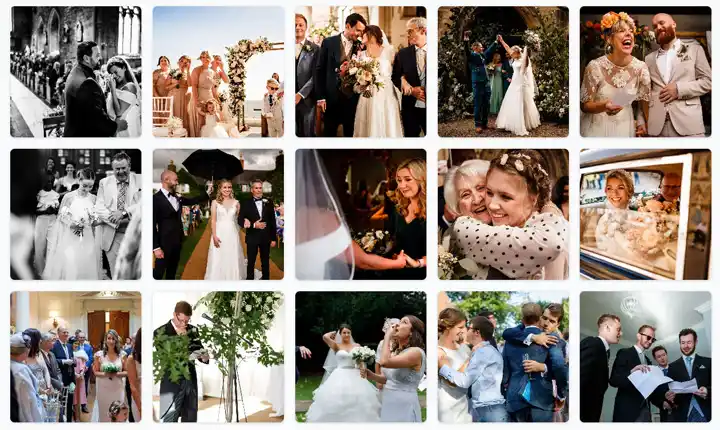
Google Photos alternative for weddings

A wedding experience first, a file collection second

Google Photos is a capable personal photo service, but a wedding upload flow asks guests to understand accounts, shared albums and permissions. GuestShoot is built around one event and one obvious action: scan and contribute.

No appNo guest accountPrivate gallery
A wedding experience first, a file collection second

Clear invitation

No app · No guest account · Private gallery

No app
No guest account
Private gallery

The real problem

A general photo tool makes the host design the experience

Account state and permissions can vary from one guest to another.

01

A generic album does not explain when, where or why guests should upload.

02

Guestbook messages and live event presentation need separate tools.

03

An experience built for participation

Use a purpose-built layer for the wedding

Fewer instructions, fewer reminders and one place for everything.

Clear invitation

A wedding QR and cover make the next action obvious.

No guest account

Invitees contribute through the browser without creating a GuestShoot login.

More than an album

Add written messages, paid-plan video, voice and a live slideshow.

This simple

How to choose without regretting it later

01

Define the non-negotiables

List media formats, guest count, privacy, hosting period and how you want to download or display the keepsake.

02

Test as a guest

Open each option on a phone with no active account. Count the steps from invitation to first upload.

03

Compare the complete cost

Check limits, add-ons and post-event hosting—not only the first price shown.

Our recommendation

Google Photos for personal libraries; GuestShoot for collecting from a room

If every important contributor already shares a Google workflow, a shared album may be enough. GuestShoot earns its place when the guest list is mixed and the couple wants a guided, branded wedding experience with multiple memory formats.

Clear invitation

A wedding QR and cover make the next action obvious.

No guest account

Invitees contribute through the browser without creating a GuestShoot login.

More than an album

Add written messages, paid-plan video, voice and a live slideshow.

Create and test your event free. Paid plans start at €39 per event.

Practical comparison

The difference is in the complete workflow

Google Photos shared album
GuestShoot
General-purpose photo product
Purpose-built event gallery
Google account context may matter
No GuestShoot account for guests
Shared album link
QR, private link and event cover
Photos and videos
Media plus written and optional voice messages
Separate presentation setup
Live slideshow from the event

Google Photos features and account requirements can change. This comparison reflects publicly documented behavior reviewed in July 2026; verify the current sharing flow with the accounts your guests use.

Try the guest experience

See exactly what your guests will see

Open a real demo gallery, explore the experience and check how easy it is to participate before creating your own event.

  • No app
  • No guest account
  • Private gallery
Open the live demo
See exactly what your guests will see

Verified reviews

What hosts say after using GuestShoot

Feedback from real event hosts, published only with their permission.

We used GuestShoot at our wedding and ended up with more than 500 guest photos and videos. The best part was discovering moments we had not even seen because we were greeting people or with the photographer. We left the QR code on the tables, and guests started uploading photos during the reception.
Laura M.
We had guests from several countries and needed something that did not require downloading an app or creating an account. Even our relatives who are less comfortable with technology used it without any problems. The next day, the whole celebration was together in one gallery.
Emily R.
At first I thought people would forget to upload their photos, but the opposite happened. We placed the QR code next to the menu and many guests started using it during dinner. The candid photos ended up being even more fun than the official ones.
Giulia B.
Setting up the event and sharing it with our guests was very easy. Our wedding had around 140 people, and we received photos from every corner of the celebration. We found beautiful pictures of our parents and friends that the photographer had not been able to capture.
Thomas L.
We used it throughout our wedding weekend, not only on the day of the ceremony. Guests uploaded photos from the dinner the night before, the party and the breakfast the next morning. We now have a complete diary of the whole weekend.
Sophie W.
We wanted a simple solution because we did not want to explain to every guest how to join a shared album. With GuestShoot, they only had to scan the QR code and enter their name. It was quick, worked well on different phones and far more people took part than we expected.
Anna K.

FAQ

Google Photos alternative questions

Is Google Photos free?

Google offers consumer storage with account-based limits. The relevant question is whether its shared-album workflow is simple for your entire guest list.

Do GuestShoot guests need a Google account?

No. Guest participation is independent of Google accounts.

Can I download the GuestShoot collection?

Hosts can download event media, including a complete ZIP workflow.

Can I still move downloads into Google Photos later?

Yes. Download the event collection and import the files into your preferred personal archive.

Build the wedding experience before choosing the archive

Create GuestShoot free, test it with a non-technical guest and download the result.

Free plan · No card · Set up in minutes